

The WebSocket Testing Gap Chrome DevTools Doesn't Fill
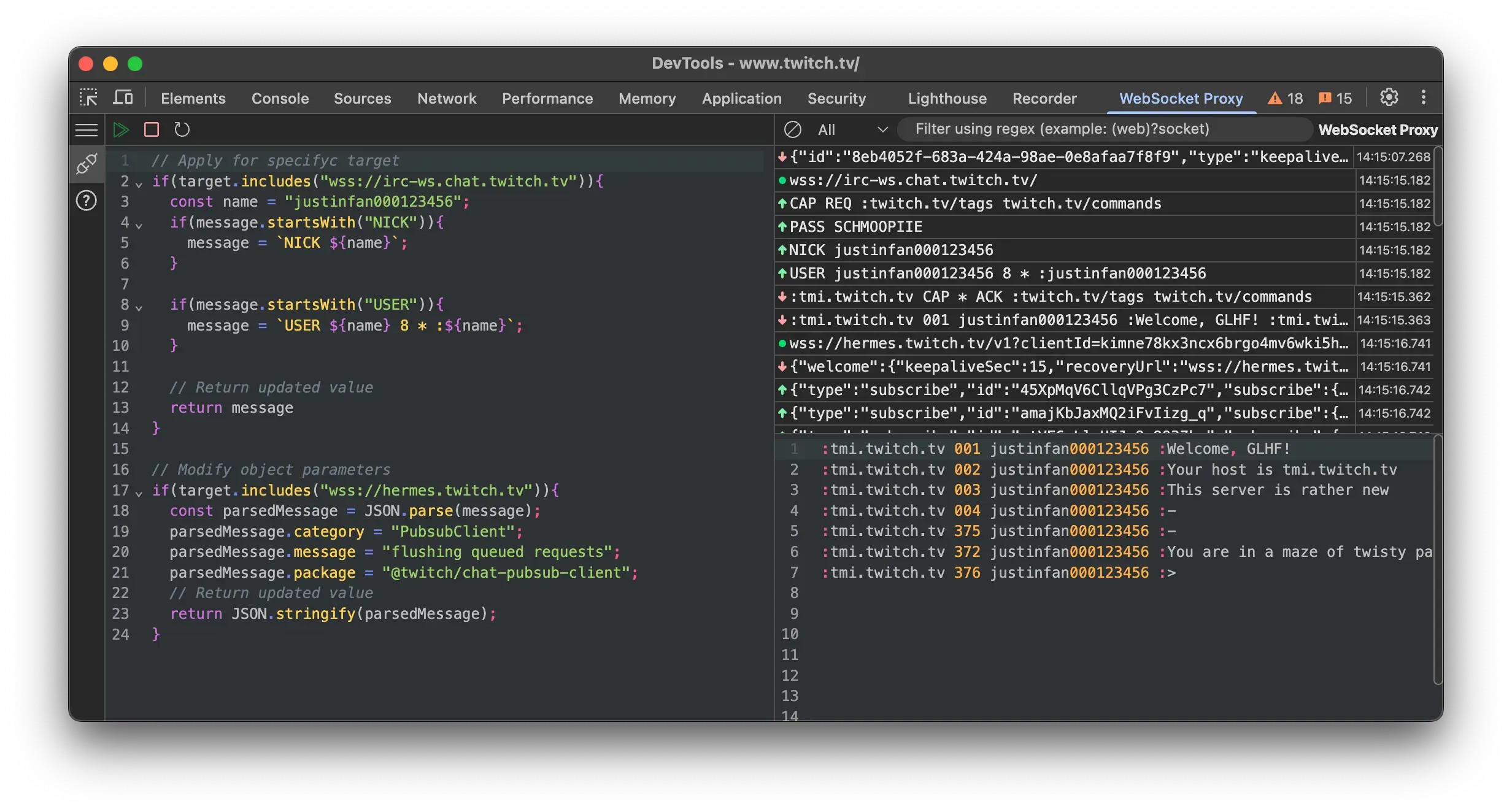
WebSocket testing has a strange property: it looks solved until you actually need to test something.
Open Chrome DevTools, go to Network, filter by WS — and there it is—every frame, every message, timestamped and readable. For five minutes, this feels like enough. Then you need to do something with that data, and the read-only nature of DevTools becomes obvious.
What "testing" actually requires
Watching traffic is observability. Testing requires intervention — sending a malformed payload, delaying a response, simulating a disconnect mid-session. None of that is possible from the Network tab. The moment you need to do something instead of look at something, you're reaching for external tooling.
The usual options:
- Wireshark / mitmproxy — full traffic interception, but it means certificate setup, a proxy layer, and overhead that's disproportionate to "I need to check what happens if the server sends null here."
- A custom script— Node or...
Copyright of this story solely belongs to hackernoon.com. To see the full text click HERE


