
How to Use Camera Tracking to Make Your Videos More Dynamic
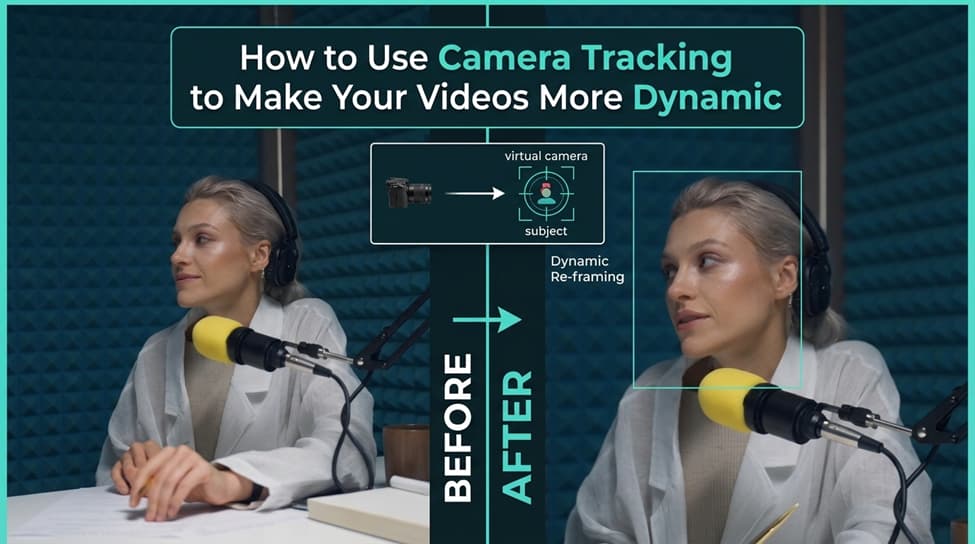
Most videos you film yourself have one problem: the camera never moves. Even with a tripod to stabilize the shot, after a few seconds, the clip can feel quite flat.
Videos with a professional touch are more appealing to watch. Because it involves following the subject, zooming on significant things, and shifting the scene. But what if everything is already shot?
That is where camera tracking comes into play. It allows you to introduce motion during editing, rather than having to reshoot. In this guide, we’ll tell you how it works, break down the steps, and give you 6 easy ways to enhance your videos.
What Camera Tracking Does to a Static Shot
Camera tracking converts a static shot taken with a camera into a moving camera shot. The editor ‘trails’ the shot to match the movement of a given target.
Say you are walking across the room; for instance,...
Copyright of this story solely belongs to hackread.com. To see the full text click HERE