How Browser-Based Image Flipping Works Using HTML Canvas
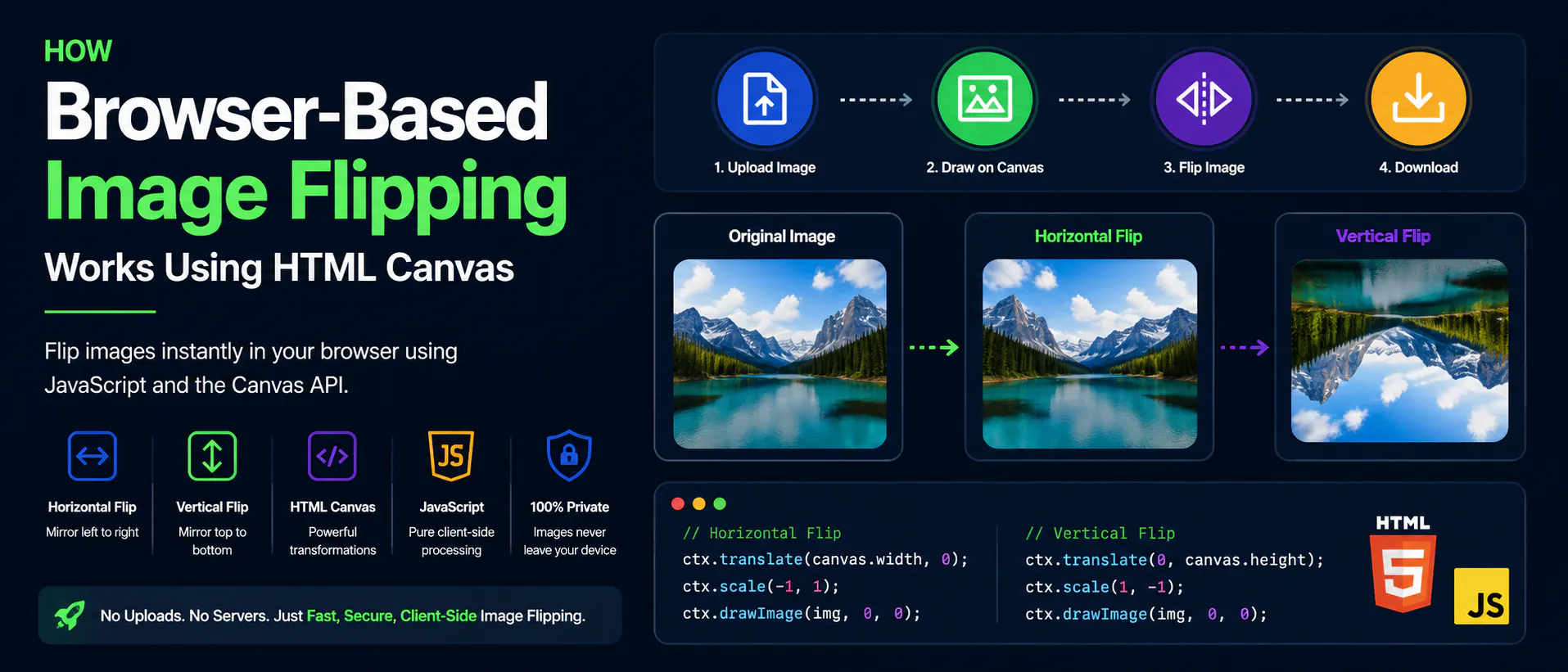
Image flipping is one of the simplest yet most useful image editing operations.
Whether you're creating mirror effects, correcting scanned documents, preparing product photos, or building creative applications, flipping an image is a common requirement.
Many online image editors still upload images to remote servers before performing this simple transformation. While this approach works, it introduces unnecessary upload time and raises privacy concerns.
Modern browsers provide everything needed to flip images locally using HTML Canvas and JavaScript, eliminating the need to send files anywhere.
This article explains how browser-based image flipping works, the Canvas APIs involved, and why client-side processing has become the preferred approach for lightweight image editing.
Why Image Flipping Doesn't Need a Server
Traditional web applications process images on backend servers.
The workflow usually looks like this:
- Upload the image
- Wait for the upload to finish
- Flip the image on the server
- Generate a new image
- Download...
Copyright of this story solely belongs to hackernoon.com. To see the full text click HERE